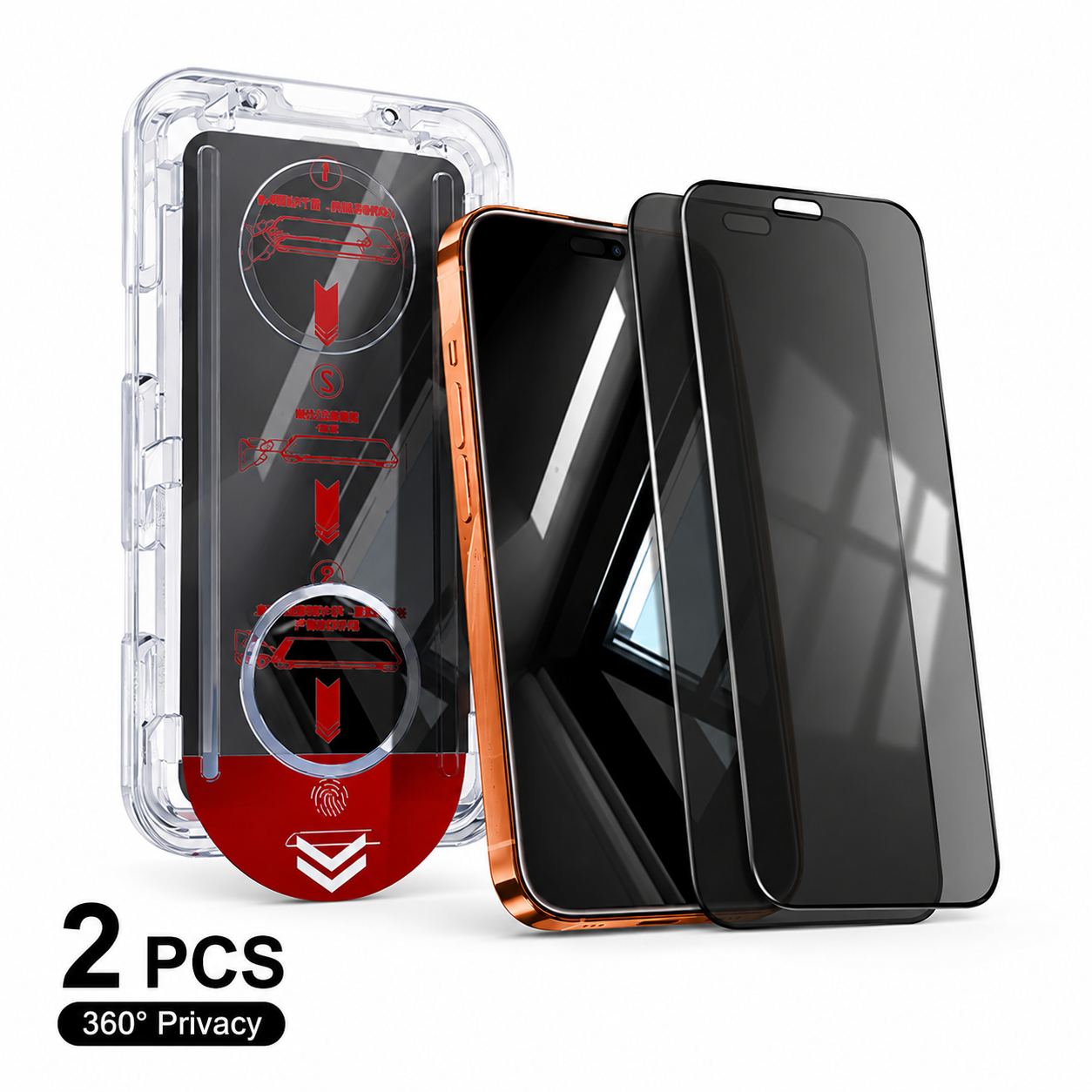
📢LAST DAY 49% OFF🔥📱Dust-Free One-Pull Tempered Glass Screen Protector
📢LAST DAY 49% OFF🔥📱Dust-Free One-Pull Tempered Glass Screen Protector
BUNDLE & SAVE
Couldn't load pickup availability
-
Ordered
- - -
Order Ready
- - -
Delivered

📢LAST DAY 49% OFF🔥📱Dust-Free One-Pull Tempered Glass Screen Protector

📱 Dust-Free One-Pull
Screen Protector
Place. Pull. Perfect.
Say goodbye to crooked protectors, trapped dust, and frustrating bubbles. Our Dust-Free One-Pull Tempered Glass Screen Protector combines a precision alignment tray with an easy pull-tab system, helping you achieve a cleaner, centered finish in seconds. Choose from HD Clear, Blue Light, or 360° Privacy Glass.

✨ Dust-Free Installation
Traditional screen protectors can trap tiny dust particles between the glass and your phone, leaving annoying spots and bubbles. Our enclosed dust-removal installation system helps reduce loose surface dust while limiting unnecessary exposure between cleaning and adhesion. That means less peeling, less repositioning, and a cleaner-looking finished screen.

⚡ One-Pull Easy Application
No complicated positioning, steady hands, or professional installation skills required. Simply place your phone into the alignment tray, follow the marked steps, and pull the tab to apply the protector. The system handles the most frustrating part of installation, making screen protection faster and easier even for beginners.

🎯 Precise Auto Alignment
A slightly crooked protector can ruin the appearance of your phone and leave uneven exposed edges. The built-in positioning tray keeps your device securely aligned during installation, helping the tempered glass land where it belongs. Enjoy a clean, balanced edge-to-edge appearance without repeatedly lifting and adjusting the protector.

💨 Smooth Bubble-Free Finish
Air bubbles can turn a simple screen protector installation into a frustrating DIY project. The self-adhesive tempered glass is designed to spread smoothly across the display while helping air escape during application. Combined with the dust-control system, it helps create a cleaner, more professional-looking finish.

🛡️ Protection Made Your Way
Choose the protection that matches how you use your phone. HD Clear prioritizes bright, natural clarity. Blue Light Glass adds a filtering layer for frequent screen users, while 360° Privacy Glass helps reduce unwanted viewing in public spaces.

📋 Product Details
*Cutouts and dimensions vary by selected phone model.
📱 Simple Installation
No advanced skills. No stressful alignment.
Insert your phone securely into the installation tray.
Pull the installation tab in the marked direction.
Let the tempered glass adhere smoothly across the screen.
Remove the tray and enjoy your clean, aligned screen.
❓ Frequently Asked Questions
Quick answers before you install.
Does it really remove dust?
The installation system is designed to help remove loose surface dust during application while minimizing exposure between cleaning and adhesion. For best results, follow the included cleaning and installation instructions.
Can beginners install it?
Yes. The alignment tray is designed to make installation easier than traditional freehand application. You don't need to manually position the protector over the screen.
What's the difference between the three versions?
HD Clear prioritizes natural screen clarity. Blue Light adds a blue-light filtering layer. 360° Privacy helps reduce unwanted viewing in public. All three use the same dust-free one-pull installation system.
Will the Privacy version look darker?
Privacy glass may appear slightly darker than standard clear glass due to its privacy-filtering structure. For the clearest view, look directly at the screen and adjust brightness if needed.
Does the Blue Light version change screen color?
Because the Blue Light version contains an additional filtering layer, a slight difference in screen tone may be noticeable. Choose HD Clear if maximum color accuracy is your priority.
Will it affect touchscreen sensitivity?
The slim tempered glass is designed to maintain responsive everyday touch. Make sure the protector is fully adhered after installation.
Can I reinstall the protector?
For the cleanest result, we recommend completing the installation correctly the first time. Removing and reinstalling tempered glass may introduce dust or reduce adhesive performance.
Which phone models does it fit?
Compatibility depends on the option selected. Always choose your exact phone model before ordering because screen size, camera cutouts, speaker placement, and edge dimensions can vary.
🔥 Protect Your Phone
Without the Frustration
Your screen protector shouldn't be harder to install than your phone is to use.
✓ Easier Alignment
✓ Fewer Bubbles
✓ Fast One-Pull Installation
✓ Three Protection Options
Place. Pull. Perfect. 📱✨
Shop With Confidence

Our Satisfaction Guarantee
We want you to feel confident when ordering online. If you experience an issue with your order, contact our customer support team so we can review the situation and help find an appropriate solution.